Chinese Phone Number for Verification: What Works in 2026
A private +86 number receives the SMS code in its own inbox.
At a glance
- Number format: +86, then 11 digits starting with 1, with no leading zero.
- Free public numbers: shared with other people, so codes are often used up or blocked.
- Private virtual number: an SMS inbox that only you can see, with no physical SIM.
- Real SIM: registered with your passport, and the most reliable for strict checks.
- Tourist eSIM: usually data-only, so it gives you no +86 number for codes.
Free, temporary or private: four ways to get a Chinese verification number
Almost every sign-up that asks for a Chinese number wants a +86 mobile that can receive an SMS. What differs is who else can see the code and how strictly the app checks the number.
Which should you pick? If it is a throwaway test, a free public number may do. If you want to keep the account, use a private number. If the app touches money or checks your identity, plan on a real SIM.
| Option | Receives a +86 code? | Who can read the code | Best for |
|---|---|---|---|
| Free public number | Sometimes | Anyone using the same public number | Throwaway tests |
| Private virtual number | Yes, in your inbox | Only you | Sign-up and login codes |
| Real SIM | Yes, on your phone | Only you | Payment, banking and strict checks |
| Data-only tourist eSIM | No | Not applicable | Mobile data while you travel |
Free public numbers
Public "receive SMS" sites hand the same numbers to many people at once. That means the code may already have been used, other visitors can read it, and large apps often reject these ranges. Fine for a test, a poor choice for an account you want to keep.
Private virtual number
A number that only you can see, with an inbox for incoming messages and no physical SIM. It suits sign-up and login codes. Some apps still refuse virtual ranges, and you need to keep the number for as long as you use the account.
See private numbersReal SIM, registered with your passport
A real Chinese line gives you calls and data as well as codes, and it passes checks that virtual numbers can fail. Chinese rules require real-name registration, so expect to show your passport. Compare options in the SIM and eSIM guide.
See physical SIM optionsData-only tourist eSIM
Most tourist eSIMs only provide mobile data, so they cannot receive a Chinese code. Useful for staying online while you travel, not for verification. Check the plan details if you need a number as well.
How to get a virtual Chinese phone number and receive a code
- Choose a private number Pick a private +86 number on the receive China SMS online page.
- Enter it with the country code In the app, choose China (+86) and type the 11-digit mobile number, which starts with 1, with no leading zero.
- Request the code once Tap send once, then wait about a minute before asking again, because repeated requests can trigger a lockout.
- Read the code in your inbox Open the message inbox of your number service and copy the newest code straight away, before it expires.
- Finish and keep the number Complete verification and keep the number active, since apps may text a fresh code when you log in on a new device.
Why your Chinese verification code does not arrive
- The number was already used. Free public numbers are reused by many people, so the app may have seen it before.
- The app rejects virtual ranges. Some apps check the type of number. If a private virtual number is refused, try a real SIM.
- The format is wrong. Use +86 followed by 11 digits that start with 1. An extra 0 at the front breaks it.
- Too many requests. Wait a few minutes, then ask for a single new code.
- The code expired. Codes often last only a few minutes. Request a new one and read it immediately.
- The app wants more than an SMS. Payment features and bank checks usually add passport or ID verification, which no phone number can replace.
Use a number only for accounts that are yours, and follow each platform's terms. This page explains how numbers work; it does not promise that any particular app will accept a virtual number.
FAQ
Can I get a free Chinese phone number for verification?
Free public numbers exist, but they are shared by many people, so codes are often already used and many apps block them. They are fine for a throwaway test, not for an account you want to keep.
Is a temporary Chinese number safe to use?
Anything sent to a shared number can be read by other people, so never use one for an account with money, personal data or recovery options. A private number that only you can see is the safer choice, such as the ones on the receive China SMS page.
Is there a fake Chinese phone number that works for verification?
A made-up number cannot receive a code, because the SMS has to reach a number that exists on a real network. What people usually mean is a temporary or virtual number: a real +86 number that is not tied to your own SIM. The options above explain which kinds work and which are shared.
What is the difference between a virtual number and a SIM card?
A virtual number receives messages in an inbox and needs no physical SIM, so it suits sign-up codes. A SIM is a real registered line that also gives you calls and mobile data, and it is the more reliable choice for strict identity checks.
How do I enter a Chinese number when verifying?
Choose China (+86), then type the 11-digit mobile number that starts with 1, with no leading zero. If the form has no country list, type +86 first.
Do I need a passport to get a Chinese number?
For a physical SIM, yes: Chinese rules require real-name registration, so bring your passport. For a virtual number, the requirements depend on the service you order from, so check its order page.
Will a tourist eSIM give me a Chinese number for codes?
Most tourist eSIMs are data-only, so they do not include a +86 number that can receive codes. Check the plan details before you buy if you need a number as well.
How long should I keep the number?
For as long as you use the account. Apps can text a new code when you log in on a new device or reset a password, and if the number is gone you may lose access.
Can I use these numbers for WeChat or Alipay?
Results vary by app and by how strict its checks are. Many sign-up screens accept an SMS code, but payment features generally ask for real-name verification as well, which a phone number alone cannot provide.
中文说明
快速解答:要接收中国App的短信验证码,需要一个能收短信的+86手机号。免费公共号码由许多人共用,验证码常常已被使用,或被应用拒绝。只需收短信时,私人虚拟号码最简单;涉及支付或银行等严格身份验证时,用护照实名登记的真实SIM卡更稳妥。如果只想先拿一个号码收验证码,请查看在线接收中国短信页面。
- 免费公共号码:多人共用,只适合临时测试,不建议用于想长期保留的账号。
- 私人虚拟号码:只有你能看到收件箱,适合注册和登录验证码;部分应用可能拒绝虚拟号段。
- 真实SIM卡:按中国规定需凭护照实名登记,最可靠,也能通过更严格的身份验证。
- 仅数据eSIM:大多数旅游eSIM只提供流量,不含+86号码,无法接收中国验证码。
输入格式:选择中国(+86),输入以1开头的11位手机号,前面不要加0。

Recent Articles


-
Chinese Phone Number for Verification: What Works in 2026
Nov 10, 26 11:38 PM
Need a +86 number to receive verification codes? Compare free temporary numbers, private virtual numbers and real SIMs, and see why codes fail. -
eSIM国际流量卡:海外上网套餐对比与购买方法(2026)
Nov 10, 26 07:17 PM
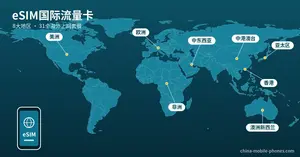 eSIM国际流量卡套餐对比:日本、韩国、美国、欧洲、澳洲等覆盖地区、天数和流量价格,附微信购买步骤和手机支持情况,2026年更新。
-
中国虚拟手机号码常见问题
Nov 10, 26 07:11 PM
 中国虚拟手机号码免费使用期结束前,怎样延长有效期, 怎样收发短信, 怎样查余额和有效期等常见问题。
To keep up to date, including special offers, please sign up our monthly service guide
Don't worry — your e-mail address is totally secure.
I promise to use it only to send you China Mobile Phones Service Monthly Guide.